Powered by Blogger.
Showing posts with label others tips and tricks. Show all posts

Xperia S Icon Pack for samsung galaxy y

Hi here is Xperia S Icon Pack for samsung galaxy y. This icon pack is Packed with Some Xperia S icons and some Xperia X10 Icons. This icon set is packed and shared on XDA by senior member hell_lock so thanks him if you like his work. When dev Get The Complete Set, It Will Become To Full Xperia S icon pack below are few screenshot.

screenshot:

Xperia S Icon Pack for samsung galaxy yXperia S Icon Pack for samsung galaxy y

Xperia S Icon Pack for samsung galaxy yXperia S Icon Pack for samsung galaxy y

DOWNLOAD:
Icon Pack:(not mirrored) Xperia S & X10 Icons By ELiTSamsunG.zip

Warning:
Use at your own risk!

Install:
Flash it in recovery mode.

In case if you notice Small icons/Bugged Icons then Give suggestions to change the determinate icon on the thread page


Read More

Loving your smartphone too much?

Is there such thing as loving your smartphone too much? I never used to think so. I mean, just because I like to keep mine close, doesn't make it an addiction. Right? I read an interview with neuroscientist Susan Greenfield, who suggests that digital technology has an impact on our brains. She says there's evidence of adolescents becoming obsessive towards their technology; whether it be their computer games, smartphone or TV.
Loving your smartphone too much? Image source: zazzle.com
I started to wonder about my smartphone habits.

Around 50 percent of the world currently own a smartphone. I'm willing to bet the vast majority wouldn't admit to spending more time than necessary on them though. And yet, the more I analyse my own habits, the more I'm starting to see Greenfield's point. There are three traits I've come to recognise in myself, that indicate I might have been addicted to my smartphone at some point.


Must look at it


The first was an untameable desire to look at my smartphone. Not because it's pretty. I just wanted to know how many messages I'd had in the last 30 seconds. It didn't matter that I was on the train, at work, or on the land-line phone, I couldn't help glancing at it. At one point I wouldn't put it away in my pocket, in case I missed something.


Hundreds of apps


It turns out having hundreds of apps on your smartphone, can indicate an obsession. Some people only have the Facebook, Twitter, YouTube and email apps. I applaud these people. The more I look through the app store, the more games and quirky apps gain my interest. There are so many to choose from. Get fed up of one, move on to another. So what if I'll only use it once or twice?


A flat battery


This was the issue that made me admit I had a problem. The more often I used my smartphone, the quicker the battery drained. Using it to excess was leaving me in constant need of a socket to plug the charger into. The average smartphone is supposed to stay powered for at least a day. The day I realised I was charging mine twice a day, was the day I pulled back from it.


So yes, I do believe Greenfield has a point. I switch it off at least once a day now, and won't let myself check my messages too often. The result? A lot of the anxiety has disappeared. It also turns out, there's interesting things happening outside. Who knew?


Contributed for Androidonkey.tk


About the author:
Reese Jones is a tech and gadget lover, a die-hard fan of iOS and console games. She started her writing venture last month and writes about everything from quick tech tips, to mobile-specific news from the likes of O2 to tech-related DIY. See more of 02's blog at http://www.o2.co.uk


Read More

Jelly Bean HD GO Theme for Android phones and tablets

The most faithful Jelly Bean theme and especially made with all graphics in HD! Have both the best launcher in the market and the most modern look in your phone and HD graphics by combining GO Launcher EX and the most faithful Jelly Bean Android 4.1 theme.This Jelly Bean GO Launcher theme is compatible will all phone screen resolutions, and all android versions from 2.0 upwards.
Jelly Bean HD GO Theme for Android phones and tablets

Characteristics of this Jelly Bean Android 4.1 HD GO Launcher Theme:

  • HD Graphics! All the artwork has been done in the highest resolution allowed in Go Launcher, with the original Jelly Bean icons and over 200 common app icons done all in large 96x96 HD resolution from scratch, instead of the normal 72x72 standard icons commonly used in the themes. The wallpapers are also in higher than standard GO Theme resolution, the appdrawer, dock, etc.
  • This is specially important in the higher screen resolution phones and or if we like to use the "large icons" setting in GO Launcher. Makes your screen look very sharp and detailed.
  • Special care has been taken to be the most faithful GO Launcher Theme reproduction of Android 4.1 Jelly Bean's launcher. From the custom Jelly Bean icons and wallpapers to the details like exact matching color codes used, menu icons, the folder interface, the indicators, the appdrawer, etc.
  • Includes all 10 original Jelly Bean wallpapers in HD resolution.
  • All images optimized while conserving maximum quality to achieve the smallest app package size possible in the phone's memory.
  • This theme will be regularly updated should new official wallpapers or artwork be released for Android 4.1 Jelly Bean.
  • This theme asks of no unsafe permissions to install. No adds. No risk of hidden malaware.


What's in this version :
Upgraded artwork (icons, wallpapers, etc) from standard resolution to the highest resolution GO Launcher allows for even better than normal definition and sharpness.

Screen Shots:

Jelly Bean HD GO Theme for Android phones and tablets  Jelly Bean HD GO Theme for Android phones and tablets

Jelly Bean HD GO Theme for Android phones and tablets  Jelly Bean HD GO Theme for Android phones and tablets


DOWNLOAD Link
Read More

MerrukTechnology Kernel 2.0 For Samsung Galaxy Y GT-S5360

MerrukTechnology Kernel 2.0 PRE-FINAL, For Samsung Galaxy Y GT-S5360 for Stock Rom This Kernel for Samsung Galaxy Y GT-S5360 is developed by Senior Member of XDA Maroc-OS so do not forget to thanks him for his work. This kernel have lots of Other Improvements & Fixes above of what is listed below.

Screen shot:


FEATURES :
  • Swap Support.
  • Some Bug Fixes.
  • CPU Spy App Fix.
  • Game-Port Modules.
  • Graphic Engine Driver.
  • Security Patches Added. 
  • TUN/TAP, Virtual Adapter.
  • Added USB CORE Support.
  • HID, EHCI, OHCI, Support.
  • VibeTunz (TM) Technology.
  • MERRUK Tempfs for SU Binary. 
  • EXT2/EXT3 & EXT4/JBD2 support.
  • SD-EXT Support, System & Recovery.
  • CIFS Support. (Mount Shared Folders).
  • NETFILTER Compatibility with DROIDWAL.
  • Recouvery in Read/Write mode & [ADB Root].
  • Added IO Scheduler. (Deadline, CFQ, VR, SIO).
  • BLMUNLOCK Added, & a Script to run it at boot.
  • INIT.D Support & Auto Create init.d in /system/etc.
  • BusyBox Support PreInstalled (Busybox binary in /sbin).
  • Root Support [ADB Root] & PreInstalled (SU binary in /sbin).
  • Added MFC, (MULTI FORMAT CODEC) Firmware From Samsung.
  • Multi-language Module Support For UTF-8 on CIFS Mount Shares.
  • Cache and /Data, Can be mounted as EXT4. (/System Need's Fixes).
  • Add The Permanent Modded / Fixed CloclWorkMode Recovery. (V.5.8.0.2).
  • Mount SDCARD WITH EXT4 FS Supported (You Need to Format it With EXT4).
  • New J4FS SUPPORT. (We Can Mode it to have our new optimized j4fs rw filesystem).
  • Modules for VPN/IPSec Support. (IPsec AH, IPsec user configuration interface, IP Tunneling, )
  • Added CPU Governor Feature. (SmartassV2, Conservative, Ondemand, Powersave & Userspace, etc...) (Not All of them for now)
Warning
Use at your own risk
    DOWNLOAD
    Installation Instruction:

    1. Back up your apps and data .
    2. Data wipe and cache via stock cwm mode
    3. Download  this and move on sd not in any folder system_1.0.8.zip
    4. Download this and keep it on desktop boot_2.tar 
    5. Go to download mode by press volume down + power and home button together
    6. Open odin leaving these place blank ( this includes pit ' bootloader ' csc phone) but in pda place choose the file u downloaded in step 4  boot_2.tar like shown in picture below

    7. Connect ur phone to pc and you will see yellow box , after seeing yellow box hit START but and wait till   green colours comes. Reboot it
    8. Download cpu master from market to see its new features

    If you want to go back to stock kernel Download STOCK KERNEL for galaxy y GT-S5360 
    If you find any bug report on thread page so developer may fix on next update.

    Read More

    OVERCLOCKING Galaxy y GT-S5360 TO 900 MHz

    Overclocking Galaxy y GT-S5360 to 900 MHz. Overclocking a process to raise your phones power over the limits imposed by the manufacturer. When more power is increased more it will heat up the processor but the system will run faster. On computers is common, from slight increases, sometimes even made up extreme overclocking, cooling systems using large and expensive overcoat. In our cell, which is what we want, we can slightly increase the power of the processor through different software and of course, we must have root privileges.

    Warning:
    use at your own risk. 


    DOWNLOADS

    How to do it ?
    • Download this file Skin of CWM and OverClock galaxy y 
    • Copy it on you sdcard
    • Switch off your phone
    • Press volume up key + power key + home button
    • Now you are in recovery mode
    • First do wipe data then wipe cache
    • Then click on second option which install update from sdcard
    • Select that file from sdcard use volume up key for up and volume down key for download and for select use home button
    • Then restart you phone by pressing first option.
    • Wait because phone takes time to start
    • Follow screen instruction then download cpu master 
    • Enjoy.

    WORKS FINE WITH STOCK ,CREED, HYBRID ROM
    Read More

    EVO-X2 ROM for galaxy y GT-S5360

    Here is a new Custom Rom for Galaxy y known as EVO-X2. This rom is developed and contributed by xda member  b16h22 so dont forget to thanks him for his work.According to dev this rom is highly minimalistic. So lets have look on few screen shot of galaxy y running on EVO-X2 ROM.

    Screenshot:


    Features:
    • Rooted,Deodexed,zipaligned,has init.d support etc..
    • Based on DDLE1 firmware
    • A2SD
    • TW launcher
    • MIUI music player
    • This is a minimalist rom. there is around 99 mb free in the system partition.
    • Scrolling cache is disabled for smoother scrolling.
    • Lidroid 15 toggles.
    • 6 lockscreens
    • swipe to remove notification
    • The kernel by savie has 4 usable frequencies.
    • 832MHz,624MHz,468MHz,and 312MHz.
    • 18 governers, 5 I/O schedulers are added.
    • Droid wall
    • EXT4
    • cifs
    • swap
    • Dualboot
    • bacem tweak
    • Undervolt
    • Default undervolt value is 100mV
    • Exellent battery life.
    • Small footprint.
    • Bootanimation,boot sounds,and shutdown sounds are removed.
    Downloads
    • EVO- X2 DOWNLOAD LINK
    • FIX PATCH 'blk_screen_fix.zip' LINK 

    HOW TO INSTALL EVO-X2 ROM ON GALAXY Y
    • Download the Rom zip file and 'blk_screen_fix.zip'.
    • Put them on your sd card.
    • Switch of your phone and reboot into cwm recovery.This is important because if you are using stock recovery it'll get stuck in the splash screen.
    • Install the rom zip file through cwm.
    • Wipe data and cache.
    • Flash the 'blk_screen_fix.zip'
    • Reboot the system and you are good to go.
    You may have to wait a bit for the rom to boot.It'll seem like it is stuck at the splash screen but it's not.There won't be any bootanimation.So dont panic.Just wait.

    Post all the bugs and problems on the thread page so that devloper can fix on next update
    Read More

    Google Authenticator Enable 2-step verification of your google Account on Android phones and Tablets

    If your are an android phone or tablet  owner and use your google account Google Authenticatoris a must have app for you. It Enable 2-step verification to protect your account from hijacking.Google Authenticator generates 2-step verification codes on your phone. With 2-step verification, you can choose to add an additional layer of security for your Google Account by signing in with both a code generated by this application in addition to your password.
    Features:
    • Automatic setup via QR code
    • Support for multiple accounts
    • Support for multiple languages
    To use this app, you need to first enable 2-step verification on your Google Account by visiting your Account Settings page.


    Download Link

    Google play: https://play.google.com/store/apps/details?id=com.google.android.apps.authenticator2

    Read More

    Tutorial to root and unroot samsung galaxy y duos S6102

    Tutorial to root and unroot samsung galaxy y duos S6102. This tutorial is for the user who have to root samsung galaxy y duos s6102 and not for samsung galaxy y s5360 if you want to root galaxy y s5360 then click here for tutorial. Thanks to Millan.SIS at xda for creating this package here i am only providing tutorial on how to use it. Get custom Rom for galaxy y duos


    Warning: Rooting will void warranty of your phone use at your own risk.

    Steps to Root Galaxy Y Duos S6102

    • Must backup your data first
    • Download the Rooting File from Here (update.zip) also availavle on xda
    • Copy update.zip file to the SD Card root directory
    • Turn Off your Device and boot in recovery mode by pressing the key Volume Up + Home Button + Power Button together. 
    • when your phone boots in recovery mode will see the Blue Color UI where you can't use Touchscreen. Instead use "Volume Up and Volume Down to move Up and Down". And "Home Button to Select". And "Power Button used to go Back"
    • Then select "Apply Update from SDCard" option and choose "update.zip". from sd card
    • Once Patching is completed successfully reboot your Phone by select "Reboot System Now".
    • If you find "SuperUser" in your app menu your phone successfully Rooted 

    Steps to UnRoot Samsung Galaxy Y Duos s6102


    If you want to unroot your phone then
    Backup your data
    Download the UnRooting File from here (unroot.zip)
    Follow rest of the steps as above in root section
    If you cant find "SuperUser" in your app menu your phone successfully UnRooted.
    Read More

    Secret codes for Android phones and Tablets

    As we all know that every phones have some some features and information's secretly embedded so to get those information's about that particular device we have to use some special code. We have provided some codes before based on galaxy y but this time we have  some more secret cedes for your devices  To use this codes just open the dialer and enter the the codes provided below :


    Secret codes for android devices

    • LCD Test: *#0*# 
    • Phone information: *#*#4636#*#*
    • Backup media files: *#*#273283*255*663282*#*#* 
    • Change end call option: *#*#7594#*#*
    • Service mode: *#*#197328640#*#*
    • GPS Test: *#*#1472365#*#* 
    • WLAN test: *#*#526#*#*
    • Wifi MAC Address: *#*#232338#*#*
    • Bluetooth test: *#*#232331#*#* 
    • Another GPS test: *#*#1575#*#*
    • Device test: *#*#0842#*#* 
    • Bluetooth device address: *#*#232337#*#
    • Hard reset: *2767*3855# 
    • Soft reset: *#*#7780#*#* 
    • Packet loopback: *#*#0283#*#*
    • Another LCD test: *#*#0*#*#*
    • Melody test: *#*#0673#*#*
    • GTalk service monitor: *#*#8255#*#* 
    • Touch version: *#*#2663#*#*
    • Touch screen test: *#*#2664#*#*
    • Proximity sensor test: *#*#0588#*#*
    • RAM version: *#*#3264#*#*
    • FTA H/W version: *#*#2222#*#* 
    • FTA S/W version: *#*#1111#*#* 
    • PDA, Phone & CSC: *#*#1234#*#*
    • PDA, Phone, H/W, RF call date: *#*#4986*2650468#*#* 
    • PDA, Phone, CSC, build time, change list number: *#*#44336#*#*
    Read More

    Mobile Gaming at E3

    Over the past few years, mobile gaming has seen a dramatic increase. Nokia Snake is no longer the pinnacle of mobile gaming and as the hardware improves so too do the games. So perhaps it doesn’t come as much of a shock that this year, E3 has seen an influx of mobile gaming companies, clamouring to showcase their wares to the world. So put away your next-gen consoles and your super fast computer – mobile gaming is taking the world by storm. Here are some of the highlights:
    GREE: The Facebook of Mobile Gaming
    Most ‘hardcore’ gamers simply cringe whenever they hear the world ‘social’ applied to their beloved gaming. So while social games might not have been at the top of the agenda for E3, social-giant GREE were determined to make themselves heard. This Japanese social gaming network led the charge for mobile gaming companies, showcasing 6 snazzy new games while flexing its virtual muscles. These brand new titles include:
    • Resident Evil VS – The classic survival horror arrives on the mobile platform, complete with social integration. Soon, you’ll be able to shoot, stab and attempt to survive the undead apocalypse. All from the comfort of your mobile phone.
    • Gang Domination – A social card game akin to Mafia Wars, albeit with a Texas Hold’em slant. Run your mob and take on other gangsters – even engage in some PVP with your friends.
    • Wacky Motors – Essentially a social version of Mario Kart, this new racing game by GREE has a lot of potential. Race alongside your friends and customize your vehicle, from cool paintjobs to awesome vehicular weaponry.
    But that’s not all. GREE will also be teaming up with 2K games to produce social versions of the gaming classics, Civilization and Pirates! If that’s not something to be excited about, I don’t know what is… social integration could be exactly what’s needed to breathe new life into these old, classic formats. So it seems that GREE have pushed out all the stops for E3… could this be a sign that the mobile gaming industry is becoming that little bit more hardcore?
    Upcoming Games Announced
    Of course, there are plenty of other awesome new titles just around the corner. Whether it’s beat ‘em ups, puzzle games or online RPGs, it seems there’s something for everyone.
    • The Amazing Spiderman – One of the most exciting announcements for mobile gaming, The Amazing Spiderman promises stunning 3D open world gameplay. Take down criminals and swing from building to building in Gamesloft’s action-packed adventure game.
    • Motley Blocks – This inventive new puzzle game by Square Enix puts a brand new spin on the mobile puzzle genre. A strange mixture of Tetris and join the dots, Motley Blocks requires quick wits and dextrous digits if you want to stay ahead.
    • Demons’ Score – A weird and wonderful combination of Guitar Hero and Quake 3, this rhythm-based fighting game is like Parappa the Rapper but with hordes of evil demons. Based on the Unreal 3 engine, Demons’ Score is highly original… if a bit messed up.
    • Project Dragon – Previously known only as ‘The Project’, this amazing concept is a cross-platform MMORPG that will run on Android, iOS and even PC. Project Dragon aims to bring PC-based MMORPG gaming to mobile devices and from what we’ve seen so far, it just might succeed.
    Android Gaming Pads
    Not content with a massive new range of games, the mobile industry has pushed the boat out even further, in the form of some brand new gaming pads for Android devices.
    • NVidia have taken to the mobile market, helping Nyko to create the PlayPad, a slim-line gaming controller for Android devices. It’s both sleek and portable with all the retro style of an old-school NES controller. But with Bluetooth connectivity and button remapping, it’s a hell of a lot more.
    • The Power-A by MOGA is an awesome new controller that shows real progression in mobile gaming. This controller just screams ‘next-gen console’ and a quick glimpse reveals obvious inspiration from the Xbox 360 – a design which most gamers will be very familiar with.
    So as you can see, there have been some real developments in Android gaming this year, but will they lead to mobile gaming being taken more seriously? At this rate, we’ll have to wait until E3 2013 to find out.

    Contributed by
    Julie-Anne Christie is a freelance writer from England who specialises in technology and business writing for a number of online journals. She doesn't still wish her phone had a copy of the original 'Snake' installed, really she doesn't...
    Read More

    Advertise your blog or site for free on my Site offer limited

    Advertise your blog or site for free on my Site www.androidonkey.tk offer limited (for the next 20 days from 22/june/2012 to 12/july/2012)

    Androidonkey Google page rank
    Check Google Page Rank

    Androidonkey Alexa Traffic Rank


    Hi dear friends and visitors of my blog this time  i have come up along with a free deal for all of you and this is free advertising only on my site "www.androidonkey.tk" for your blog or site for the next 20 days from 22/june/2012 to 12/july/2012. We will Display only text ads that will link to your  blog or site (Note: illegal  links not allowed  ) and the ads will be alternated every day based on the last three comment of the day( if i find any Link which we cannot accept will not be added even if it is included in th last three comments of the day)  below this post time based on utc +05:30. The text ads will be displayed on left side bar below the fold. just have a look i have placed a Example.

    Terms and conditions:
    Advertise your blog or site for free on my Site www.androidonkey.tk offer limited (for the next 20 days from 22/june/2012 to 12/july/2012) Only last three comment of the day will be added based on the conditions provided below in this paragraph per day time based on GMT 05:30+ and older one will be removed on completion of 24 hrs and new will be added (based on condition) even if your comment are included in the last three comments of the day and if it it does not satisfy the criteria it will not be approved  (include illegal links example nude/ vigilance/etc,etc the link will be excluded and the above link previous link means fourth or fifth or ... link will be included. (Product advertising not allowed) The above terms and condition may change without prior information as this is free we may stop it any time based on condition before the decided period so if you want to free advertise on www.androidonkey.tk  you must keep checking this post.as this is free advertising we are not charging any thing from you for this particular period of time and space .

    So what are you Waiting for just leave comment below along with your blog  Title, url  and description not more then  30 to 35 words else rest will be excluced  (link send by mail or contact us page etc. will not be accepted)


    With regards
    Admin Androidonkey.tk
    Read More

    Transform the look of Samsung galaxy y s5360 to galaxy S III

    Transform the look of Samsung galaxy y s5360 to galaxy S III. Here i have collected the required things from different sources like xda , etc thanks to all the guys who made this possible i am just writing a tutorial how to transform the look of galaxy y to achive the look and feel of samsung galaxy SIII . Tutorial how to Change Icon , Wallpaper, Boot Animation,Video Player of Galaxy Y and achieve look of New Galaxy SIII on galaxy y .

    So to achieve the look and feel of galaxy s3 to galaxy y s5360 we will have to add new icons, wallpaper boot animations etc that is provided below in this post first take look Icon pack Preview .

    Screen Shot:

    Step by step installation instructions along with required data:


    • First of all we will change the icon of galaxy y
    • For this you will have to download Galaxy Slll ICON PACK FROM HERE
    • Now we will have to flash the S3 ICON PACK.zip in recovery mode follow instruction below
    • Trun off your phone then start it by pressing volume up+home+power button.
    • Click on "update from sdcard" then select "S3 Icons Pack xen.zip" file then select reboot. Cong. first step over.
    • Second add galaxy S3 wallpaper to galaxy y.
    • For this you will have to download Galaxy Slll WALLPAPER PACK FROM HERE
    • very easy extract the zip file to sd card and set as wallpaper.
    Next changing boot animation of galaxy y 

      changing boot animation of galaxy y
      how to change boot animation of galaxy y
    • You will have to download Galaxy Slll BOOT ANIMATION FROM HERE   .
    • you will have to flash CWM or Stock Recovery Mode with "Slll boot animation xen.zip"
    • Next install the S3 video player on galaxy y
    • For this you will have to download Galaxy Slll VIDEO PLAYER FROM HERE
    • Just install the Apk i hope you can do that easilyCongratulation now you have achieve look and feel of s3 on galaxy y. 
    • Download Galaxy SIII Ringtone from here it is a zip file containing six ring tone you will have to extract this file using file manager like Astro if using mobile or if on pc use winrar to extract it on sd card then play it in music player and set as ringtone
    In case if you want to go back to the original look an feel of galaxy y follow the steps to retrieve back.
    Download CWM from Link and Flash it.
    Download stock icons Link
    Now flash stock icons zip file.


    Credit:
    Thanks to Dev - explodeaamir@xda, ....... for few of this stuffs. Remind me if any mistake in the credit section through comment below and i will update this section.
      Read More

      Assam HSLC Result 2012 / Assam SEBA 10th Result 2012/ Assam matric result 2012:

      Assam SEBA 10th Result 2012/ Assam HSLC Result 2012 /  Assam matric result 2012:
      Board of Secondary Examination Assam has conducted HSLC 2012 examination frm 21/Feb/2012 to 17/March/2012.Result of Assam HSLC 2012 Exam will be daclared on 15th june at 12 pm according to indiaresult .com website. Previous year HSLC 2011 Result was declared by board on 27/May / 2011

      Assam HSLC Result 2012 / Assam SEBA 10th Result 2012/ Assam matric result 2012:
      The candidates who appeared in the examination conducted by SEBA assam and is looking for their Result can visit this link (http://assam.indiaresults.com/Assam/) to get his/ her Result and Latest updates about Assam HSLC 2012 Result.
      For More details of Assam HSLC Result 2012 please visit board website

      http://www.seba.net.in


      Check your result here


      or 


      Here


      Address:
      BAMUNIMAIDAM, GUWAHATI – 781021
      Assam , India
      Email : info@seba.net.in
      Read More

      TUTORIAL TO INSTALL MIUI ROM V2.0 ON SAMSUNG GALAXY Y

      TUTORIAL TO INSTALL MIUI ROM V2.0 ON SAMSUNG GALAXY Y.
      So here i am going to show you how to install  Miui Rom on samsung galaxy y. This is a modified rom.
      MIUI ROM V1.0 and V2.0 FOR GALAXY Y INSTALLATION TUTORIAL

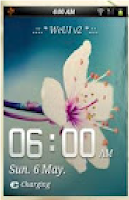
      So first of all take a look on few screen shots of samsung galaxy y running Miui Rom
      MIUI ROM v1.0 and V2.0 FOR GALAXY Y    MIUI ROM v1.0 and V2.0 FOR GALAXY Y    MIUI ROM v1.0 and V2.0 FOR GALAXY Y

      MIUI ROM v1.0 and V2.0 FOR GALAXY Y   MIUI ROM v1.0 and V2.0 FOR GALAXY Y   MIUI ROM v1.0 and V2.0 FOR GALAXY Y 

      Features:
      • Fast, Stable 
      • Deodexed APKs; Reindexed 
      • Zipaligned; Batch Optimized 
      • Superuser Access; Busybox Support 
      • Supports Dartktremor's A2sd; Init.d scripts 
      • Compatible with V6 Supercharger 
      • Quick Settings; 14 Toggles by lidroid rom 
      • swype to remove notification 
      • new status bar like MIUI rom's 
      • QQlaucher as default 
      • new file browser 
      • new taskmanager 
      • new messager 
      • new dailer 
      • new contacts 
      • playstore 
      • new deskclock 
      • MIUI alaram,natification & UI sounds 
      • new lock screen 
      • new theme 
      • MIUI music player and more stuffs from MIUI rom
      Note: If you follow these steps properly, you will successfully install the ROM or else you wont. It may leads to Bricking your Phone or other security issues. I will not be Responsible for what happens to your phone. I personally tried this ROM. It worked fine for me.
      Downloads:
      • WeUi V1.0.0.zip - Link (Required)
      • WeUI v2.0.zip - Link (Required)
      Steps to Install:
      1. Backup your System using ClockworkMod - Link (Required)
      2. Download both files from above link
      3. Now copy both files to the SD Card. Do Not put it in any folder. It ain't work.
      4. Turn Off your Device and go to Recovery Mode By Pressing and Holding this Key CombinationVolume Up + Home Button + Power Button. 
      5. Once you entered into the Recovery Mode. You will see the Blue Color User Interface where you can't use Touchscreen. Instead use "Volume Up and Volume Down to move Up and Down". And "Home Button to Select". And "Power Button used to go Back"
      6. Once you entered into Recovery Mode. You should Wipe Data and Cache to make this ROM Work Properly. (Needed)
      7. After that select "Apply Update from SDCard" option and choose downloaded WeUI ROM which is "WeUi V1.0.0.zip"
      8. Once Patching was successful. You have to Reboot your Phone by select "Reboot System Now". For the first System Start-Up it will take much time to start. So be Patience.
      9. Now Reboot again to Recovery Mode and Select update of WeUI ROM which is "WeUI v2.0.zip"...
      10. Reboot! The ROM is successfully installed in your phone. So Play with it.
      Read More

      Reverse Thetering for Galaxy Y

      Now you can use your high speed broadband PC internet on your Galaxy Y wireless and with USB Data Cable with just an application . There are two new methods for this other than previous one:

      1. Reverse Thetering with USB
      2. Reverse Thetering with Wi-Fi Hotspot

      Reverse Thetering with USB:

      This method is for those who want a really rocking internet speed of PC. The method is big but it’s recommended. This method requires:

      + USB Data Cable
      + Windows XP (or higher) PC
      + Samsung Galaxy Y

      Instructions:

      First disable your PC Antivirus before doing this!

      1. Download the necessary files.

      2. Extract the PC (.rar file below) component. Download

      3. Install the .apk file below on phone. Download

      3. Turn on USB Debugging in Settings , Applications , Development.

      4. Connect the phone to PC via USB Data Cable.

      5. Open the Android Tool from the PC component which you have extracted.

      6. USB tunnel Application will open on its own.

      7. Now select the device and click Connect.

      Enjoy high speed internet of PC on phone!

      Reverse Thetering with Wi-Fi Hotspot:

      This method is for those who want a wireless fast internet speed of PC. The method is small but it’s neutral recommendation as it have some bugs on connecting. This method requires Wi-Fi Hotpsot feature in phone & PC both:

      + Wi-Fi in phone & PC
      + Windows 7 PC
      + Samsung Galaxy Y

      For cleared instructions, downloads & video tutorial please visit mHotSpot official site.

      Read More

      Install Java Games on Samsung Galaxy Y

      Hi here is a tutorial how to install and play java game on android devices.

      How to install?
      • Download the necessary zip files to your SD Card (not in any folder).
      • Switch your phone off & boot in recovery mode.
      • Select apply update from sdcard.
      • Select CWM.zip and your phone will boot in ClockworkMod Recovery.
      • Select install zip from sdcard.
      • Select choose zip from sdcard.
      • Select JBed.zip which you have downloaded in your SD Card.
      • Select Comfirm-Install Java
      • Flashing will start and may last upto 10 minutes.
      • When you see message Install from sdcard complete, select reboot system now.
      • Your phone will restart.

      Java is successfully installed!

      Uninstalling Java?

      Download & install any Root Uninstaller free version from Play Store & uninstall it!

      There should be an application “Java” open that application whenever you want to play a java game or use an java app.

      Note: You can’t play Potrait games as per as Galaxy Y’s screen resolution so only try to install Landscape java games and apps.

      Download Links:
      Jbed.zip (2.27 MB)
      CWM.zip (1.34 MB)
      This is only for Gingerbread 2.3.6 devices use it at your own risk!
      Read More

      Bsnl 3g at 2g cost trick

      A simple trick to to use BSNL 3G data at the cost of normal GPRS
      First of all you will need a BSNL 2g sim gprs activated on it if not activated.
      Activate gprs now by sending sms GPRS to 53733
                 or
      Call 9400024365 to activate gprs
      To get setting call customer care 
                 or 
      Simply visit the site below
      http://cellone.in/cellone_msp.htm
      Now select the circle name to download Device Settings for your mobile in next page enter your phone number on which you want to activate gprs and login the page you will be given onetime password and send setting to your mobile.
      Now do e-recharge 0f Rs 98/- which will give you 3 GB valid for one months (or whatever unlimited plan exists for your circle)
      All done now to get 3g speed simply if using phone then
       Go to settings>tools>phone
      network>network mode> now select UMTS mode
      Then search the network manually and select select bsnl with 3g network which have small 3g icon.
      And if you are using usb modem then
      Go to the tools>options>Network

      1. Network Type>select hspa/utms.
      2. Band> select all bands
      Set your apn to "bsnlnet"
      the speed is 500kbps to 2.2kbps
      Enjoy this simple trick
      Now Durga Puja offer get 6GB @ Rs 98/- (date - 6/10/2011)in our circle offer will be valid for limited period
      Read More