Powered by Blogger.
Showing posts with label Galaxy y. Show all posts

ZYBO3 ROM v1.0 for samsung galaxy y

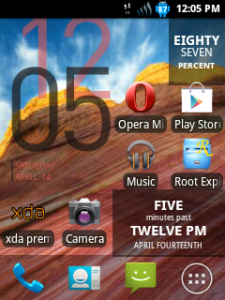
ZYBO3 ROM v1.0 for samsung galaxy y This rom is Deodexed ROM. created by member of XDAjerryn70 So thanks him if you like his work

Screenshot:
 

Features:
  • Rooted with restored warranty
  • Latest DDLE1 Indian firmware
  • Lidroid 14 toggles Status Bar
  • Swipe to remove notification
  • Deodexed
  • Zipalign
  • DSP Manager

Download:
Rom:(not mirrored)stockrom ddle1_galaxy y.zip

Installation Instructions:
  • Download all the zip files to SD Card (not in any folder).
  • Boot your phone in CWM Recovery.
  • Wipe data & Cache Partition.
  • Select Install zip from sdcard> Choose zip from sdcard.
  • Select DDLE1_GalaxyY.zip
  • Select Yes-Install DDLE1
  • Flashing will start and may take 10 minutes to be completed.
  • When you get message Install from sdcard complete, select reboot system now.
  • Phone will restart and first boot may take upto 10 minutes.

Zybo3 ROM successfully flashed!
Read More

Custom Rom USSR v7 for galaxy y s5360

Custom Rom USSR v7 for galaxy y s5360 This Rom developed by member of XDA evanlocked so thanks him for his work. Have a look on few screenshot of ultimate supersonic Rom v7 ussrv7 running on galaxy y.

Screenshot
Custom Rom USSR v7 for galaxy y s5360 Custom Rom USSR v7 for galaxy y s5360


Features:

  • LATEST FIRMWARE DXLF1
  • deodexed all apk
  • Epm
  • 4wayboot
  • 20toggle lidroid
  • compatible with music app
  • statusbar mod greper added
  • paranoid taste
  • adrenaline boost
  • edt fully working now u can hide clock
  • multylanguage
  • fast actually like sonic
  • compatible with adrenaline engine/kuro tweak/v6 etc just experiment with it
  • bravia hack added pre installed
  • transparent backgrounds on apps
  • 6lockscreen
  • etc many more just try to tasted it


Download:USSR v7: http://www.mediafire.com/?1zcmtixzerqclw7
Password: "mahogilagangnamstyle"


Installation:

  • Put rom.zip on sdcards
  • Boot to cwm(googling it lol)
  • Do full data wiping from cwm data wipe and cache
  • Install rom.zip
  • After succeed choose advanced then reboot recovery
  • Then in stock recovery do data wipe and cache again then reboot system now.
Congratulation now you have ussr v7 on your galaxy y if notice bug post on thread page.

Read More

OVERCLOCK GALAXY Y UPTO 1.2 GHz with MERRUK'S KERNEL 2.5 STABLE INSTALLATION


AS WE ALL KNOW THAT GALAXY Y IS ONE OF THE MOST POPULAR SMARTPHONE OF GALAXY SERIES IT IS POWERED WITH 832 MHZ PROCESSOR BUT NOW WE CAN OVERCLOCK GALAXY Y UPTO 1.2 GHz WITH HELP OF MERRUK'S KERNEL 2.5 STABLE INSTALLATION CREDITS TO: MERRUK-OS DONT FORGET TO THANK HIM FOR THIS.

OVERCLOCK GALAXY Y UPTO 1.2 GHz with MERRUK'S KERNEL

Warning:
Use at your own Risk! we will not be held responsible for any damage to your device.
(FOR ADVANCED USERS ONLY!)

Installation Instruction:

  • REFLASH FRESH STOCK DXLF ROM
  • ENTER CWM RECOVERY (Permanent) or (Temporary)
  • GO TO BACKUP AND STORAGE THEN SELECT BACKUP (THIS WILL BACKUP THE STOCK ROM)
  • AFTER BACKUP IS COMPLETE INSTALL EXT4FINAL.ZIP VIA CWM
  • REBOOT TO DOWNLOAD MODE AND INSTALL USING ODIN PDA.merruk.tar VIA PDA (Leave others black like Phone and CSC)
  • REBOOT TO RECOVERY, NOW YOU HAVE A PERMANENT CWM
  • GO TO BACKUP AND STORAGE THEN SELECT ADVANCED RESTORE THEN SELECT THE LATEST BACKUP THEN RESTORE SYSTEM
  • CROSS YOUR FINGERS, ONCE INSTALLATION IS COMPLETE, WIPE CACHE/DATA
  • REBOOT PHONE AND PRAY IT WILL BOOT (NOTE: BOOTANIMATION DOES NOT WORK)
  • AFTER BOOTING SUCCESSFULLY, USING ADB PUSH COMMAND TO PUSH ALL FILES FROM KERNEL_MODULES.zip
  • REBOOT.
Enjoy
Read More

MONOCHROMATIC 1.8 MOD PACK FOR SAMSUNG GALAXY Y GT-S5360 [ UPDATE RELEASED ]

Monochromatic 1.8 is a mod Pack for Samsung Galaxy y GT-S5360 . This Pack have Speed of Stock and beauty of MONOCHROME [(RE)DEFINED]. This pack is based on DXLF. Monochromatic for galaxy y is developed and Shared by the senior member of XDA deathnotice01 so if you like his work don't forget to thanks him. Previously we provided an instructional guide on how to install MONOCHROMATIC 1.5 MOD PACK on galaxy y the procedure is almost same. Here are few screenshot of galaxy y installed with MONOCHROMATIC mod pack (modification pack).

Screenshot:

MONOCHROMATIC 1.8 MOD PACK FOR SAMSUNG GALAXY Y
 MONOCHROMATIC 1.8 MOD PACK FOR SAMSUNG GALAXY Y

MONOCHROMATIC 1.8 MOD PACK FOR SAMSUNG GALAXY Y
 MONOCHROMATIC 1.8 MOD PACK FOR SAMSUNG GALAXY Y

Warning:
This Pack is only meant for Samsung galaxy y model gt-s5360 and not for other devices. Use at your own risk we will not be responsible for whatever happens to your device following this instructions. This instructional guide is only provided for information and educational purpose.

Requirements:
A Samsung Galaaxy Y model GT-S5360
Recovery Mode (Stock or CWM it does'nt matter)
DEODEXED STOCK ROM (Preferably DXLF)
ROOT ACCESS (just root to be sure)

Download Details:
Mod Pack Name:(not mirrored) Monodramatic ALPHA 1.8 DXLF.zip
Mod Pack Size: 13.24MB
CWM: CWM_bla_bla.zip


Installation Instructions:
First of all backup your system and charge you phone battery almost full.

For those using CWM Kernels (Savie's, White's, Merruk's above 1.8)
  • Download Mod pack "Monodramatic ALPHA 1.8 DXLF.zip" from above and place it in the root directory of your SD Card and turn off your phone
  • Reboot your phone in recovery mode by pressing volume up + Home + power button together when you enter recovery mode touchscreen will not work so take help of key vol up and down to move up and down home for making selection and power as back.
  • Now go to MOUNTS AND STORAGE and select MOUNT SYSTEM and select "Monodramatic ALPHA 1.8 DXLF.zip" file wait until process complete and then reboot.
  • That is all.
For those using Non-CWM Kernels (STOCK, Ironbuang, KURO, koneu, REPENCIS, IFRAN, TEMRA KERNELS)
  • Download Mod pack "Monodramatic ALPHA 1.8 DXLF.zip" and CWM "CWM_bla_bla.zip" from above and place it in the root directory of your SD Card and turn off your phone.
  • Reboot your phone in recovery mode by pressing volume up + Home + power button together when you enter recovery mode touchscreen will not work so take help of key vol up and down to move up and down home for making selection and power as back. 
  • Now in stock Recovery mode select "apply update from sdcard" navigate to root directory of sdcard and select "cwm_bla_bla.zip" file now your phone will run the CWM, go to "install zip from SD" and choose "choose zip from SDcard"
  • Then navigate through the folder where you have saved the "Monodramatic ALPHA 1.8.zip" and select it and yes.
  • Wait for the process to be completed, then reboot system br selecting reboot system now.
  • That's all you are done.
Congratulation! you have successfully installed MONOCHROMATIC mod pack on your Samsung galaxy y. If you notice any bug post on the thread page so that teveloper can fix on next update
Read More

WinterMod Evo custom ROM for Samsung galaxy y GT-s5360

WinterMod Evo custom ROM for Samsung galaxy y GT-s5360. This Rom have Great Performance and nice Look. This Rom is developed and shared on XDA By winterfoxy so if you like his work dont forget to  thanks him. Here are few screenshot of WinterMod Evo custom ROM running on galaxy y.

Screenshot:
WinterMod Evo custom ROM

Warning:

Use at your own Risk! we will not be held responsible for any damage to your device.

Feature :

  • Deodex All Apk's
  • Swipe to remove notification
  • 8 lockscreen
  • 15 toggle bottom statbar
  • Statusbar Greper
  • Icon Patcher
  • Apkreplacer
  • MediaScaner
  • LidroidPart
  • Touch droid to conect usb (Like Cyanogen)
  • New layout statbar
  • Tab Style Settings
Kernel
Using Fedy's Kernel with feature : ext4 (data +cache) , swap, iptable (droidwall), init.d, custom freq , io, gov . *check with cpuspy and nofrils

Wintermod Evo Bug : 
  • The statusbar still available while playing games 
  • Solutions : u can try to change ur launcher or wait for our patch.
Requirements:
Rom File:(not mirrored) WinterModEvo.zip

Installation Instructions:
  • Make sure u have a clean 2nd partition
  • Put rom on to sdcard
  • Reboot to cwm
  • Clear cache & data
  • Install rom.
  • Then autoreboot.
Congratulation! you have installed WinterMod Evo custom ROM on Samsung galaxy y. If notice any bug post on thread page
Read More

HEX ICON PACK FOR SAMSUNG GALAXY Y

Hex icon pack for Samsung galaxy y is a simple icon pack it is created by xda member arpitbhasin123 so here are few screenshot of galaxy y with hex icon.

Screenshot

Download:
                  Hex icon pack

Installation:
  • just flash via cwm
Read More

MONOCHROMATIC is a Mod Pack or can say Transformation Pack or Theme for Samsung galaxy y GT-S5360

Monochromatic is a mod Pack or can say transformation pack or semi-Custom Rom or Theme for Samsung Galaxy y GT-S5360. This Pack have Speed of Stock and beauty of MONOCHROME [(RE)DEFINED]. This pack is based on DXLF. This mod Pack or semi-Custom Rom Monochromatic for galaxy y is developed and Shared by the senior member of XDA deathnotice01 so if you like his work don't forget to thanks him. Here are few screenshot of galaxy y installed with MONOCHROMATIC mod pack (modification pack).

Screenshots:

MONOCHROMATIC Mod Pack MONOCHROMATIC Mod Pack MONOCHROMATIC Mod Pack
MONOCHROMATIC Mod Pack MONOCHROMATIC Mod Pack MONOCHROMATIC Mod Pack
FEATURES
Overall Android interface and internal modules added.
Want the lightness and speed of Stock but with an Amazing Theme and more features.
  • Overall Android User Interface (Framework-res)
  • Pre-root features (superuser.apk, su- bin)
  • Busybox (busybox- bin, ssh- bin)
  • Modules for Boot animation
  • Bravia Engine Support
  • Equalizer Sound Enhancement Modules
  • Swipe to Remove feature
  • Minor Statusbar and Notification Inprovisions (System UI)
  • ICS Taskbar (Framework-res.apk)
  • Status-bar Toggles and Lockscreen (lidroid-res)
  • Onley-Light Font Interface (Droidsans.ttf)
  • Themed Dialer (DialerTabActivity.apk)
  • Themed System Phone Provision (Phone.apk)
  • Themed DSP Manager (audio3.apk) (CREDITS TO KUROTSUGI)
  • Themed Messaging (Mms.apk)
  • New Settings Theme (Settings.apk)
Warning:This Pack is only meant for Samsung galaxy y model gt-s5360 and not for other devices. Use at your own risk we will not be responsible for whatever happens to your device following this instructions. This instructional guide is only provided for information and educational purpose.
Special Note:

  • DO NOT ATTEMPT TO INSTALL VIA ADB PUSH WHICH RESULTS TO A PERMANENT ERROR
  • DO NOT ATTEMPT TO INSTALL IN A ODEX STOCK ROM

Requirements:
  • A Samsung Galaaxy Y model GT-S5360
  • Recovery Mode (Stock or CWM it does'nt matter)
  • DEODEXED STOCK ROM (Preferably DXLF)
  • ROOT ACCESS (just root to be sure)
Download Details:
Mod Pack Name:(not mirrored) Monodramatic ALPHA 1.5 DXLF.zip
Mod Pack Size: 13.24MB
CWM: CWM_bla_bla.zip

Installation Instructions:
  • First of all backup your system and charge you phone battery almost full.
For those using CWM Kernels (Savie's, White's, Merruk's above 1.8)
  • Download Mod pack "Monodramatic ALPHA 1.5 DXLF.zip" from aboveand place it in the root directory of your SD Card and turn off your phone
  • Reboot your phone in recovery mode by pressing volume up + Home + power button together when you enter recovery mode touchscreen will not work so take help of key vol up and down to move up and down home for making selection and power as back.
  • Now go to MOUNTS AND STORAGE and select MOUNT SYSTEM and select "Monodramatic ALPHA 1.5 DXLF.zip" file wait until process complete and then reboot.
  • That is all.
For those using Non-CWM Kernels (STOCK, Ironbuang, KURO, koneu, REPENCIS, IFRAN, TEMRA KERNELS)
  • Download Mod pack "Monodramatic ALPHA 1.5 DXLF.zip" and CWM "CWM_bla_bla.zip" from above and place it in the root directory of your SD Card and turn off your phone.
  • Reboot your phone in recovery mode by pressing volume up + Home + power button together when you enter recovery mode touchscreen will not work so take help of key vol up and down to move up and down home for making selection and power as back. 
  • Now in stock Recovery mode select "apply update from sdcard" navigate to root directory of sdcard and select "cwm_bla_bla.zip" file now your phone will run the CWM, go to "install zip from SD" and choose "choose zip from SDcard"
  • Then navigate through the folder where you have saved the "Monodramatic ALPHA 1.5.zip" and select it and yes.
  • Wait for the process to be completed, then reboot system br selecting reboot system now.
  • That's all you are done.
Congratulation! you have successfully installed MONOCHROMATIC mod pack on your Samsung galaxy y. If you notice any bug post on the thread page so dev may fix when he releases next update.

Read More

ICS Icon Pack v.3 (Final) released for samsung galaxy y

This is an ICS Icon Pack for Galaxy Y. It Works Perfectly on all ROMS. this is really a Cool Icon Pack for galaxy y. Install The Latest ICS Icon Pack V.3 (Final). Before Installing Make Sure All The System Apps Like Google Maps,Google Search,Voice Search, Superuser etc.. Is Updated To Latest Version Or Not..If Not Then Update All These Apps From Google Play And Then Install This ICS Icon Pack v.3. The credit for creating this pack for galaxy y goes to member of XDA abhirockz so thanks him for his work.

Screenshot:
ICS Icon Pack v.3 (Final) released for samsung galaxy yICS Icon Pack v.3 (Final) released for samsung galaxy y

ICS Icon Pack v.3 (Final) released for samsung galaxy yICS Icon Pack v.3 (Final) released for samsung galaxy y

Warning:
Use this icon pack at your own risk!

Download:
                    CWM: Skin1980-GT-S5360+CWM.zip
                    ICS Icon pack: ICS_Icon_Pack_V3_(Final).zip

Installation:
  • Download the ICS Icon Pack V3 
  • Flash it using CWM Recovery And Enjoy.

Read More

LG Optimus L7 Icon Pack for Samsung galaxy y

LG Optimus L7 Icon Pack for Samsung galaxy y. This pack is developed by XDA member Ashutos1997 so if you lick his work thank him. See the screenshot below.
Screenshot: 

Download:
           L7 Icons.zip

Just flash and enjoy

Read More

Bad Piggies HD Game free for Android

Hi Here we have a new hd game for android devices from the creators of Angry bird Known as Bad Piggies HD a free game With more than 60 levels, and free updates coming up.
Bad Piggies HD Game free for Android galaxy y
Description:
The Bad Piggies are after the eggs again -- but as usual, nothing is going according to plan! Can you create the ultimate flying machine and steer them safely to their destination? Those tricky pigs have a few objects they can use, but they need your help to turn these into the perfect transportation! you have hours and hours of pig-crashing, exploding, and flying fun! Get three stars on every level to unlock 30 more puzzles!
HINT: Sometimes you need to play the level several times to achieve all the objectives -- try building a new device or steering in a different way to earn all the stars!
Bad Piggies HD Game free for Android
Bad Piggies HD Game free for AndroidBad Piggies HD Game free for Android

Bad Piggies HD Game free for Android

Features:
  • 60 levels crammed with flying/driving/crashing fun!
  • 30 additional puzzles unlocked by three-starring levels! 
  • Free updates! 
  • 4 sandbox levels to stretch your creativity!
  • Ultra-special, ultra-secret, ultra-difficult sandbox level to unlock by collecting all the skulls!
  • 33 objects to create the ultimate machine: motors, wings, fans, bottle rockets, umbrellas, balloons, and much more!

Downloads:
                Bad Piggies HD Apk
OR
                Google play Link
Read More

Xperia S Icon Pack for samsung galaxy y

Hi here is Xperia S Icon Pack for samsung galaxy y. This icon pack is Packed with Some Xperia S icons and some Xperia X10 Icons. This icon set is packed and shared on XDA by senior member hell_lock so thanks him if you like his work. When dev Get The Complete Set, It Will Become To Full Xperia S icon pack below are few screenshot.

screenshot:

Xperia S Icon Pack for samsung galaxy yXperia S Icon Pack for samsung galaxy y

Xperia S Icon Pack for samsung galaxy yXperia S Icon Pack for samsung galaxy y

DOWNLOAD:
Icon Pack:(not mirrored) Xperia S & X10 Icons By ELiTSamsunG.zip

Warning:
Use at your own risk!

Install:
Flash it in recovery mode.

In case if you notice Small icons/Bugged Icons then Give suggestions to change the determinate icon on the thread page


Read More

USSR 4 Icon Pack for Galaxy

USSR 4 icons are good looking and I personally loved the USSR 4 icons and I wanted to use the icons on other Custom and Stock ROMs while stumbling on xda i found CWM flashable zip of USSR 4 icons pack thanks to the dev Xda Member for creating this.

USSR 4 Icon Pack for Galaxy USSR 4 Icon Pack for Galaxy


Download:
Zip File Link

Instructions:
Boot into Recovery (press volume up home and power button)
Select apply update from sd
Choose CWM
In CWM select install zip from sd card
Then select the select the zip option
Choose "ussr 4 icon pack"
Enjoy...
Read More

Omega Hero 3d Game for Armv6 Devices

Omega Hero for Armv6 samsung galaxy y. Play as a protector of the innocent, born to defend small businesses from large corporate takeovers in a side scrolling 3D brawler. In a city that never sweeps, you take control of Omega Hero in a mission to clean the streets of the rotten Dust Bunnies and their evil employer Mr. Boss.

Features:
  • 6 unique acts
  • Endless mode for unlimited play
  • Free content updates
  • Original soundtrack by Shinobi MC
  • Fully voice acted
  • Hard mode for the ultimate challenge
  • Game Center achievements and leader boards
Download:

OMEGA HERO 3D GAME FOR [ HVGA,QVGA,WVGA and Tablet ] APK 

OR


Install APK and enjoy 3d game on galaxy y and other mobile and tablets.
Read More

Hells Fusion Kernel for Samsung Galaxy y gt-s5360 (custom)

Hells Fusion Kernel for Samsung Galaxy y gt-s5360 (custom).Its a custom kernel built from samsung source.The kernel is tested and working on DDLF firmware. Its pretty much a basic kernel with a little more features.The credit to developed this custom Kernel for Samsung galaxy y goes to  hell_lock member of xda forum so if you find his work useful don't forget to thanks him.

Other kernels:
Merruk  Kernel v2.0 final


Screenshots:
Hells Fusion Kernel  for Samsung Galaxy y gt-s5360 (custom)
Features:
  • Droidwall supported
  • Init.d support
  • Ext3,2 support wid NTFS
  • Performance fixes
  • Swap support
  • 7 frequencies for ultimate backup
  • 832 Mhz(undervolted already to save battery)
  • 624 Mhz
  • 468 Mhz
  • 312 Mhz
  • 156 Mhz
  • Deep sleep
  • 16 governors for people with different tastes
  • performance
  • powersave
  • userspace
  • conservative
  • lagfree
  • interactiveX
  • savagedzen
  • scary
  • brazilianwax
  • hotplug
  • smartass2
  • lionheart
  • smoothass
  • lazy interactive
  • 3 io schdulers
  • cfq
  • noop
  • deadline 
Download:
Kernel Flasher:(not mirrored) Kernel Update.zip
Hells Fusion  Kernel:(not mirrored) boot.img ( size:4.51 MB)

Warning
This kernel is only meant for Samsung galaxy y model gt-s5360 and not for other devices.Use it at your own risk we will not be held responsible for any damage that happens to your device following this instruction!

Installation:
  • Download kernel flasher from the link provided above and put it on sdcard
  • Put the downloaded kernel "boot.img "on sdcard
  • Switch off phone
  • Boot into cwm 
  • Install "kernel flasher" from zip
  • Reboot phone
Congratulation! If you see a new splash image after restart then the kernel has installed successfully if you notice any bug post on thread page so dev may fix on next update.
Read More

CHANGE LOOK OF GALAXY Y TO GALAXY S3 WITH Galaxy S3 Complete Icons + Wallpapers Pack

Hi if you want to change the look and feel of your galaxy y to galaxy S3 then here is Galaxy S3 Complete Icons + Wallpapers Pack for your galaxy y .I is a FLASHABLE file.The developer of thi package is EliTSamsunG and shared it on XDA forum so dont forget to thanks him. This is the final version that is v5. So have look on few screenshots.

screenshots:
Icon pack


Wallpaper s3


Downloads:
      Galaxy SIII Icon Pack 4 galaxy y(not mirrored): S3 Icons By ELiTSamsunG V5 FINAL.zip
      Galaxy SIII Wallpaper Pack 4 galaxy y(not mirrored):Galaxy SIII Wallpapers Pack By EliTSamsunG.zip

Warning:
Use at your own risk!

Installation
  • Place downloaded file Galaxy SIII Icon Pack in root directory of sd card.
  • Trun off your phone then boot it in recovery mode by pressing volume up+home+power button together. 
  • Click on "update from sdcard" then select " S3 Icons By ELiTSamsunG V5 FINAL.zip " file then yes after completing the process select reboot now
  •  For Galaxy SIII Wallpaper Pack just extract an place it in sd card and then set as wallpaper no need to flash.
You have installed icon pack of S3 on galaxy y.In case you notice any bug post on thread page and dev may fix on next update.
Read More

Galaxy Note 2 Live Wallpaper for Samsung galaxy y and Qvga phones

Galaxy Note 2 Live Wallpaper for Samsung galaxy y and Qvga phones. Hi friends i have been posting this here because i love this wallpaper it runs on my galaxy y with no lag the most i liked about this live wallpaper is Water Droplet effect i hope best wallpaper. So get the taste of Galaxy Note 2 live wallpaper on your device with beautiful floating feathers. Download Galaxy Note 2 Feather live wallpaper with floating feathers free.

Screenshots:
Galaxy Note 2 Live Wallpaper free for Samsung galaxy y and Qvga phones
 best Live Wallpaper for Samsung galaxy y and Qvga phones
latest Live Wallpaper for Samsung galaxy y and Qvga phones
 awesome Live Wallpaper for Samsung galaxy y and Qvga phones
Galaxy Note 2 Live Wallpaper for Samsung galaxy y and Qvga phones
water droplet effect Live Wallpaper for Samsung galaxy y and Qvga phones

Download:
         Download APK
OR
        Download APK
OR
        Google play
       
Setting:
To enable "Water Droplet" effect.
Touch or tap the screen to add water drops on your home screen
Go to Home >> Menu >> Wallpapers >> Live Wallpapers >> settings
Live Wallpaper setting for Samsung galaxy y and Qvga phones
Note: If your wallpaper resets to default after reboot, you will need put the app on phone instead of SD card.
Read More